
What are BigQuery slots and reservations? A slot is a unit of BigQuery compute capacity used to execute queries, and a reservation is a pool of slots you buy for predictable performance and cost. Under on-demand pricing, BigQuery allocates slots automatically and charges by data processed. Under capacity pricing, you commit to or autoscale a number of slots, assign projects, folders or organisations to reservations and pay for capacity rather than bytes scanned. This guide explains slots, editions and commitments, how reservations and assignments work, how to size and split capacity for production and ad hoc work, how autoscaling and idle slot sharing behave, how to monitor utilisation and the mistakes that lead to queued queries or wasted capacity. Names, editions and prices change, so confirm in current Google Cloud documentation.
Short answer: Use slots for steady, heavy workloads that need predictable cost and performance. Create reservations for distinct workloads, assign projects to them, size using real utilisation data and review regularly.
Slots explained
When you run a query, BigQuery divides it into stages and runs them in parallel across slots, each being a share of CPU, memory and network. More slots can finish a large query faster, and a fixed number of slots caps how much work can run at once. Queries beyond capacity wait in a queue. See what is BigQuery and cost control.
On-demand compared with capacity
| Aspect | On-demand | Capacity with slots |
|---|---|---|
| Billing basis | Bytes processed by each query | Slot capacity over time |
| Predictability | Varies with usage | High, based on reserved or autoscaled slots |
| Control over performance | Shared pool with fair allocation | Dedicated capacity per reservation |
| Best for | Variable and small workloads | Steady, heavy or many concurrent workloads |
| Risk | Cost spikes from large scans | Idle capacity or queuing if mis-sized |
| Setup effort | None | Plan reservations and assignments |
Pricing options and editions change, so check the current model.
Reservations, assignments and commitments
| Concept | Meaning |
|---|---|
| Reservation | A named pool of slots for a workload |
| Assignment | Links a project, folder or organisation to a reservation |
| Commitment | A pledge to buy slots for a period at a lower rate |
| Autoscaling | Adds slots up to a limit when demand rises |
| Baseline | The minimum slots always allocated |
| Idle slot sharing | Unused slots can be used by other reservations |
Together these let you divide capacity between teams and protect important workloads.
Designing reservations
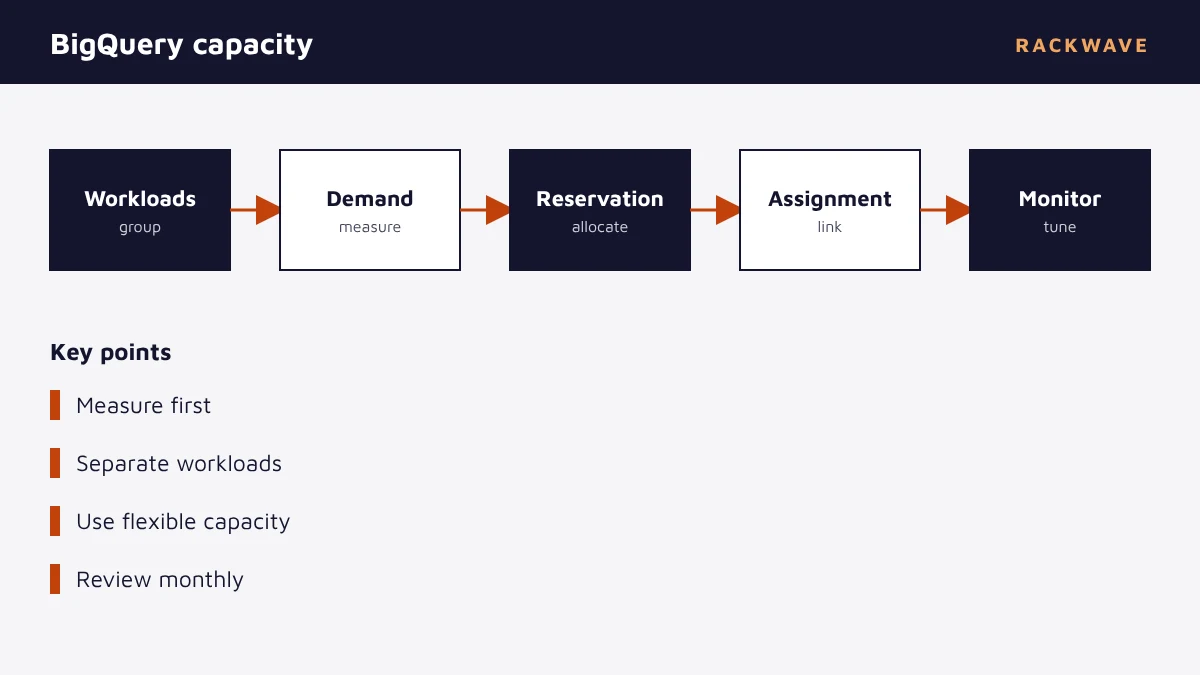
- Group workloads. Separate production pipelines, dashboards, data science and ad hoc exploration.
- Measure demand. Use job history to see slot usage by workload and time of day.
- Set baselines and limits. Allocate baseline slots and autoscaling ceilings per reservation.
- Assign projects. Link projects to the right reservations.
- Protect critical work. Give production pipelines their own capacity.
- Review regularly. Adjust as workloads change.
Monitoring utilisation
Capacity is only efficient if used. Track slot utilisation, queue time and job duration by reservation, and compare peaks with baselines. Persistent queuing suggests too little capacity or a few heavy queries, while low utilisation indicates waste. Use job metadata views and monitoring dashboards, and alert on sustained high utilisation and long waits.
- Slot utilisation by reservation.
- Queue time and job duration.
- Top consumers by user and project.
- Alerts for sustained saturation.
Improving performance without more slots
- Partition and cluster tables so queries need fewer resources. See partitioning and clustering.
- Rewrite heavy queries to avoid unnecessary joins and repeated scans.
- Use materialized views for common aggregations.
- Schedule heavy jobs off-peak using scheduled queries.
- Avoid many tiny queries that compete for capacity.
- Enforce limits so one user cannot monopolise slots.
Workload isolation and noisy neighbours
When many teams share one pool, a single heavy query can slow everyone else. Isolation solves this by giving critical workloads their own reservation, so exploratory queries cannot take their capacity. Where isolation is too expensive, rely on fair sharing within a reservation, per-user limits and clear communication about priorities.
Test isolation by simulating a heavy ad hoc query during a production run and measuring the effect. If production performance holds, the design is sound; if not, adjust baselines or move the noisy workload to a separate reservation.
- Reserve capacity for critical workloads.
- Use per-user limits for exploration.
- Test isolation with a simulated heavy query.
- Communicate priorities to teams.
Integrating capacity with orchestration
Pipelines can be scheduled to match capacity: heavy transformations at night, lighter refreshes during the day. Orchestrators can also pause or delay low-priority jobs when production reservations are saturated. Combine this with alerts on queue time, so on-call engineers see capacity problems before users do. See data pipelines for orchestration basics.
Documenting capacity decisions
Record why each reservation exists, who owns it, the baseline, the autoscaling ceiling and the review date. Share this in a short internal page, so teams understand the rules and new engineers can maintain the design without guessing.
- Record the owner and purpose.
- Note baseline and ceiling.
- Set a review date.
Common mistakes
- Buying slots without measuring real usage.
- One shared reservation for every workload, so ad hoc work slows production.
- Committing to capacity before understanding the workload.
- Ignoring queue time as a quality measure.
- Not using autoscaling or idle slot sharing where suitable.
- Never reviewing reservations after workloads change.
A worked example
A company with heavy nightly pipelines and daytime dashboards used on-demand pricing and saw unpredictable bills. After measuring demand, they created a reservation for pipelines, another for dashboards with autoscaling and kept exploration on a small separate pool.
Pipelines finished reliably, dashboards stayed fast during peaks and monthly spend became predictable. The example is illustrative.
Best practices and support
- Start with measurement, then reserve.
- Separate critical and exploratory workloads.
- Prefer flexible capacity until usage is stable.
- Review utilisation monthly.
Our data warehousing service and data analytics service size and manage BigQuery capacity.
Related guides
Read BigQuery vs Snowflake, BigQuery ML, data warehouses and cloud computing for related topics.
Capacity checklist
| Item | Done when |
|---|---|
| Demand | Measured by workload and time |
| Reservations | Separate for key workloads |
| Assignments | Projects linked correctly |
| Baseline and limits | Set deliberately |
| Monitoring | Utilisation and queue time tracked |
| Review | Scheduled regularly |
Commitments and financial planning
Commitments lower the unit price in exchange for a promise over a period, which suits stable demand. Start with flexible capacity, observe usage for a few months and then commit only to the baseline you are confident will be used. Keep peaks on autoscaling. Involve finance early, because capacity is a recurring commitment that should be forecast and reviewed like any other platform cost.
- Commit to the stable baseline only.
- Keep peaks on flexible capacity.
- Forecast and review quarterly.
- Document ownership of the capacity budget.
Fairness and workload priorities
Within a reservation, BigQuery shares slots fairly between running queries. Use separate reservations for work that must not be disturbed, and set sensible limits for exploratory users. Communicate the rules to teams, so they understand why a heavy ad hoc query may be slower than a production job.
Planning for growth
Capacity needs rise with data volume, users and new use cases. Review forecasts every quarter, test major new workloads before launch and keep headroom for events such as seasonal peaks. Document the plan so that capacity decisions are repeatable and explainable.
Key takeaways
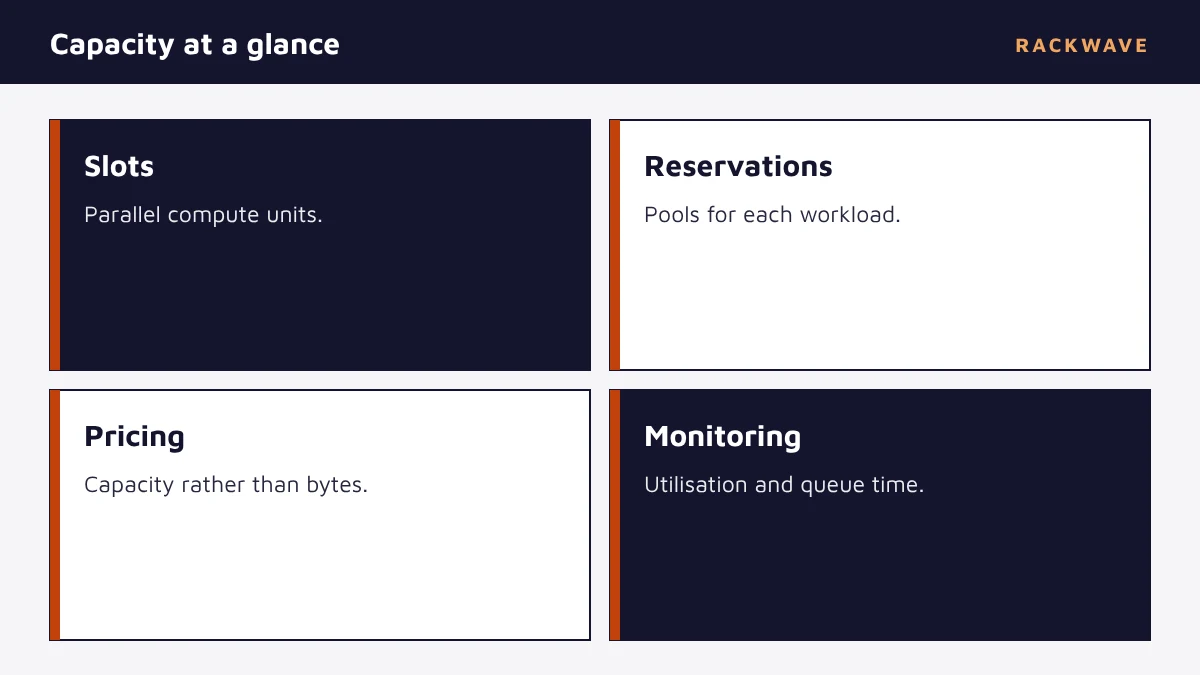
- Slots are units of compute capacity.
- Reservations pool slots for workloads.
- Measure before you reserve.
- Separate critical and ad hoc work.
- Monitor utilisation and queue time.
Quick glossary
| Term | Meaning |
|---|---|
| Slot | Unit of compute capacity |
| Reservation | Named pool of slots |
| Assignment | Link to a reservation |
| Commitment | Pledged capacity for a period |
| Baseline | Minimum slots allocated |
Read next: BigQuery vs Snowflake: Which Cloud Data Platform? · BigQuery Streaming Inserts: Real-Time Ingestion Guide · BigQuery Access Control: IAM, Policy Tags and Row Security
Frequently asked questions
What is a BigQuery slot?
A unit of compute capacity that executes parts of a query in parallel.
What is a reservation?
A named pool of slots you buy and assign to projects, folders or organisations.
When should I use slots instead of on-demand?
For steady, heavy or highly concurrent workloads that need predictable cost and performance.
What is an assignment?
A link between a resource, such as a project, and a reservation.
What is autoscaling?
Automatic addition of slots up to a limit when demand rises.
What is a baseline?
The minimum number of slots always allocated to a reservation.
How do I know if I have enough slots?
Monitor utilisation and queue time, and compare peaks with your allocated capacity.
Can I mix on-demand and capacity?
Yes. Many organisations reserve capacity for production and keep other projects on-demand.