
What are BigQuery materialized views? BigQuery materialized views are precomputed query results that BigQuery stores and refreshes automatically, so repeated aggregations and filters read a small, current result instead of scanning the full base table. They combine the convenience of a view with the speed and lower cost of a stored table, and BigQuery can even rewrite eligible queries on the base table to use them transparently. This guide explains how materialized views work, how refresh and staleness behave, what queries they support, how they differ from standard views and scheduled tables, how to design and monitor them, how they interact with partitioning, how to manage cost and the mistakes that lead to unsupported definitions or wasted storage. Features and limits change, so confirm in current BigQuery documentation.
Short answer: Use materialized views for frequent, expensive aggregations over large base tables, keep the definition simple and supported, partition and cluster the view where useful and monitor refresh cost against query savings.
Why materialize query results
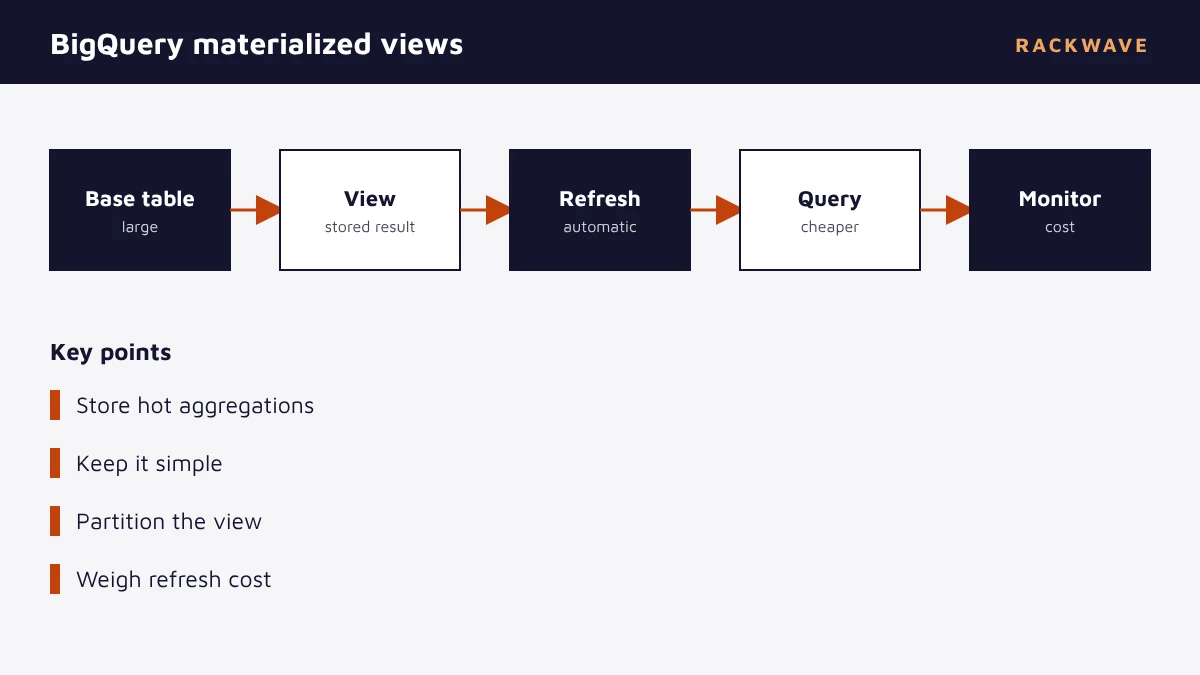
Dashboards and reports often run the same aggregation again and again over very large tables, paying to scan the same data each time. A materialized view stores the aggregated result and keeps it up to date, so queries read far less data. Compared with maintaining your own summary table, BigQuery handles refresh for you and can combine fresh changes with stored results. See what is BigQuery and cost control.
Views compared
| Feature | Standard view | Materialized view | Summary table via scheduled query |
|---|---|---|---|
| Stores results | No | Yes | Yes |
| Refresh | Runs on every query | Automatic, incremental where possible | Runs on your schedule. See scheduled queries |
| Freshness | Always current | Current within a refresh interval or combined with new data | As fresh as the last run |
| Query flexibility | Any SQL | Supported patterns only | Any SQL |
| Maintenance effort | None | Low | Higher, you manage jobs |
| Cost profile | Scans base table each time | Storage plus refresh, cheaper reads | Storage plus job cost |
Pick the option that fits the query pattern and freshness needs.
How refresh works
- BigQuery refreshes materialized views automatically after base table changes, within a set interval.
- Where possible, it refreshes incrementally, processing only changed data.
- Queries can combine stored results with the latest base data, so results stay current.
- You can set a maximum staleness to trade freshness for lower cost.
- Manual refresh is available for control.
- Some changes, such as updates and deletes, can force broader refreshes.

What queries are supported
| Typically supported | Often restricted |
|---|---|
| Aggregations such as sum, count and min or max | Non-deterministic functions |
| Filters on columns | Complex joins and subqueries in many cases |
| Group by on base table columns | Window functions in the view definition |
| Single base table definitions | Unsupported set operations or user-defined functions |
Support evolves over time, so check current documentation before designing a view.
Designing a good materialized view
- Find the hot query. Identify frequent, expensive aggregations from job history.
- Keep it simple. Use supported aggregation and filter patterns.
- Match the grain. Group by the columns users actually need.
- Align layout. Partition and cluster the view to match its queries.
- Test savings. Compare bytes processed before and after.
- Monitor refresh. Track refresh cost and staleness.
Partitioning and clustering with materialized views
Materialized views on partitioned base tables can be partitioned too, which keeps refresh work limited to changed partitions and lets queries prune. Clustering the view by common filters improves read performance further. See partitioning and clustering for how to choose columns.
- Partition the view like the base table where supported.
- Cluster by common filter columns.
- Keep partition filters in queries.
- Check that automatic rewriting is actually used.
Managing cost and refresh
Materialized views trade storage and refresh cost for cheaper queries, so the saving depends on how often the view is read compared with how often the base table changes. High-churn base tables, with frequent updates and deletes, can make refresh expensive. Review refresh job cost alongside query savings, and drop views that are rarely used.
- Compare refresh cost with query savings.
- Avoid views on heavily updated tables.
- Set staleness for non-critical uses.
- Retire unused views.
Testing and rolling out a materialized view
Before moving dashboards to a materialized view, run representative queries against the base table and the view and compare results and bytes processed. Confirm that automatic rewriting happens where expected, and that results remain correct after base data changes. Roll out gradually, starting with one dashboard, and keep the original query available for comparison until you trust the view.
After launch, record the expected savings and re-measure after a month. Views that do not deliver value should be dropped, because they still cost storage and refresh work.
- Compare results and bytes processed.
- Confirm query rewriting.
- Roll out one dashboard first.
- Re-measure savings after a month.
Common mistakes
- Creating views for rarely run queries.
- Defining views with unsupported constructs and hitting errors.
- Ignoring refresh cost on volatile tables.
- Not partitioning or clustering large views.
- Assuming queries are always rewritten automatically.
- Never reviewing whether views are still used.
A worked example
A dashboard computed daily revenue by region from a multi-terabyte orders table each time it loaded. The team created a materialized view grouped by date and region, partitioned by date, and pointed the dashboard at it.
Bytes processed per load fell from terabytes to megabytes, load time dropped and refresh cost was a small fraction of the previous query cost. The example is illustrative.
Best practices and support
- Start from query logs, not guesses.
- Keep definitions simple.
- Measure savings after launch.
- Document owners and purpose.
Our data warehousing service and data analytics service design efficient BigQuery serving layers.
Related guides
Read slots and reservations, dbt incremental models, data marts and data warehouses for related topics.
Materialized view checklist
| Item | Done when |
|---|---|
| Need | Frequent expensive query identified |
| Definition | Uses supported patterns |
| Layout | Partitioned and clustered |
| Savings | Measured against base query |
| Refresh | Cost and staleness monitored |
| Ownership | Owner and purpose documented |
Alternatives and combinations
Materialized views are not always the answer. For complex joins and transformations, scheduled summary tables or dbt models give full SQL flexibility. For heavy interactive workloads, BI engines and caching can help. Combine approaches: use materialized views for simple, hot aggregations and models for richer logic. See dbt models.
- Summary tables for complex logic.
- dbt models for governed transformations.
- Caching for repeated identical queries.
- Materialized views for simple hot aggregations.
Monitoring and troubleshooting
Check metadata for last refresh time, staleness and any refresh errors. If a query does not use the view, compare its shape with the view definition, since small differences can prevent rewriting. Track storage and refresh cost over time, and alert on failures so dashboards never silently fall back to expensive base queries.
- Monitor last refresh and errors.
- Compare query shape with the view definition.
- Track storage and refresh cost.
- Alert on failures.
Governance and access
Materialized views inherit data from base tables, so apply the same access controls. Grant users access to the view rather than the base table where appropriate, and use column and row-level controls to protect sensitive fields. Document which views are trusted for reporting.
Key takeaways
- Materialized views store refreshed results.
- They suit simple hot aggregations.
- Refresh is automatic and often incremental.
- Compare refresh cost with savings.
- Keep definitions supported and simple.
Quick glossary
| Term | Meaning |
|---|---|
| Materialized view | Stored, auto-refreshed query result |
| Staleness | Allowed age of results |
| Query rewrite | Automatic use of a view for a base query |
| Incremental refresh | Processing only changed data |
| Grain | Level of detail in the view |
Read next: BigQuery vs Snowflake: Which Cloud Data Platform? · BigQuery Streaming Inserts: Real-Time Ingestion Guide · BigQuery Access Control: IAM, Policy Tags and Row Security
Frequently asked questions
What is a materialized view in BigQuery?
A precomputed, automatically refreshed query result that makes repeated aggregations faster and cheaper.
How is it different from a standard view?
A standard view reruns its query every time, while a materialized view stores results.
Is data in a materialized view always current?
It is refreshed automatically and can combine stored results with new base data, within defined staleness settings.
Which queries can be materialized?
Mainly aggregations and filters over a single table, with restrictions on joins and some functions.
Can BigQuery use the view automatically?
Yes, it can rewrite eligible queries on the base table to read the materialized view.
Do materialized views cost money?
Yes. You pay for storage and refresh work, which should be less than the query savings.
When should I avoid them?
For rarely used queries, volatile tables with many updates or logic that needs unsupported SQL.
How do I check they are worthwhile?
Compare bytes processed before and after, and weigh refresh cost against savings.