
What are BigQuery partitioning and clustering? Partitioning divides a BigQuery table into segments, usually by date, so queries that filter on the partition column read only the relevant segments, while clustering sorts data within a table or partition by chosen columns so filters and aggregations on those columns scan less data. Together they are the main levers for reducing query cost and improving speed on large tables. This guide explains how each works, the types of partitioning, how to choose partition and clustering columns, how to combine them, how to check that pruning actually works, how to migrate existing tables and the mistakes that make tables expensive to query. Features and limits change, so confirm in current BigQuery documentation.
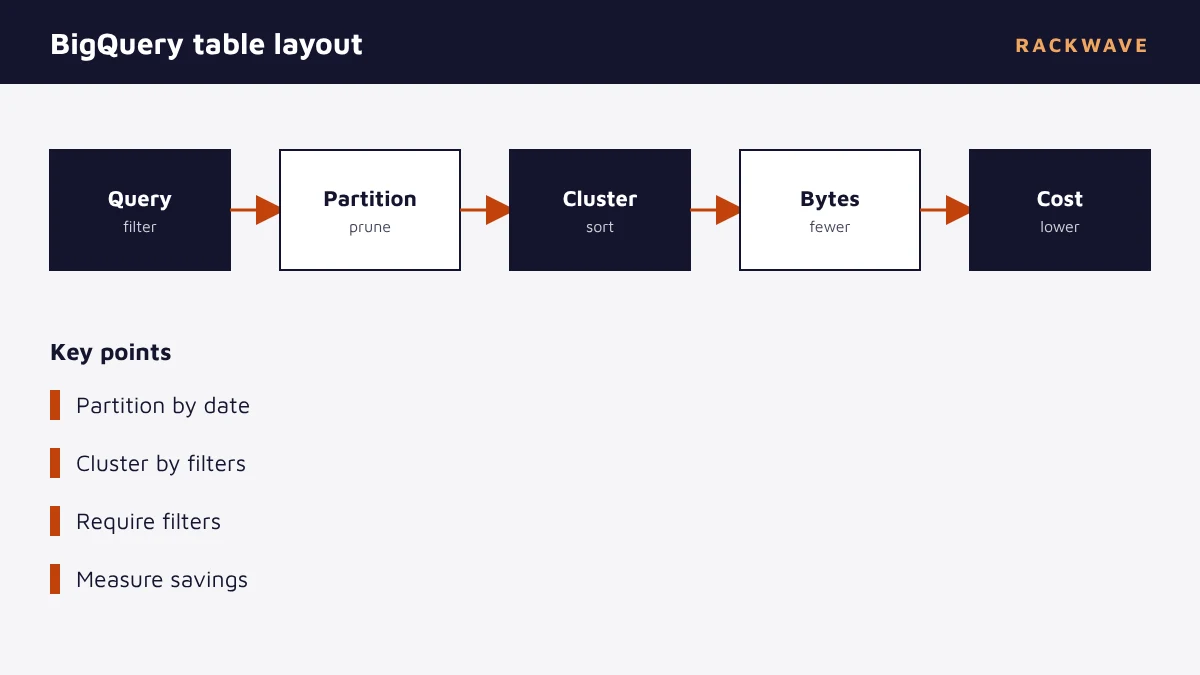
Short answer: Partition large tables by a date or timestamp column that queries filter on, cluster by up to four frequently filtered or joined columns, require a partition filter on big tables and verify savings with dry runs.
Why layout matters in BigQuery
On-demand pricing charges for the bytes a query reads. Without partitioning or clustering, a filter on one day may still scan the entire table. A good layout lets BigQuery skip data it does not need, cutting cost and time without changing the query logic. See what is BigQuery and cost control.
Partitioning types
| Type | Based on | Best for |
|---|---|---|
| Time-unit column | A date, timestamp or datetime column | Most fact and event tables, by hour, day, month or year |
| Ingestion time | When data was loaded | Tables without a reliable event date |
| Integer range | Ranges of an integer column | Identifiers or numeric buckets |
Choose the granularity so partitions are neither tiny nor enormous. Daily partitions suit many tables, while monthly suits slower-growing data.
How clustering works
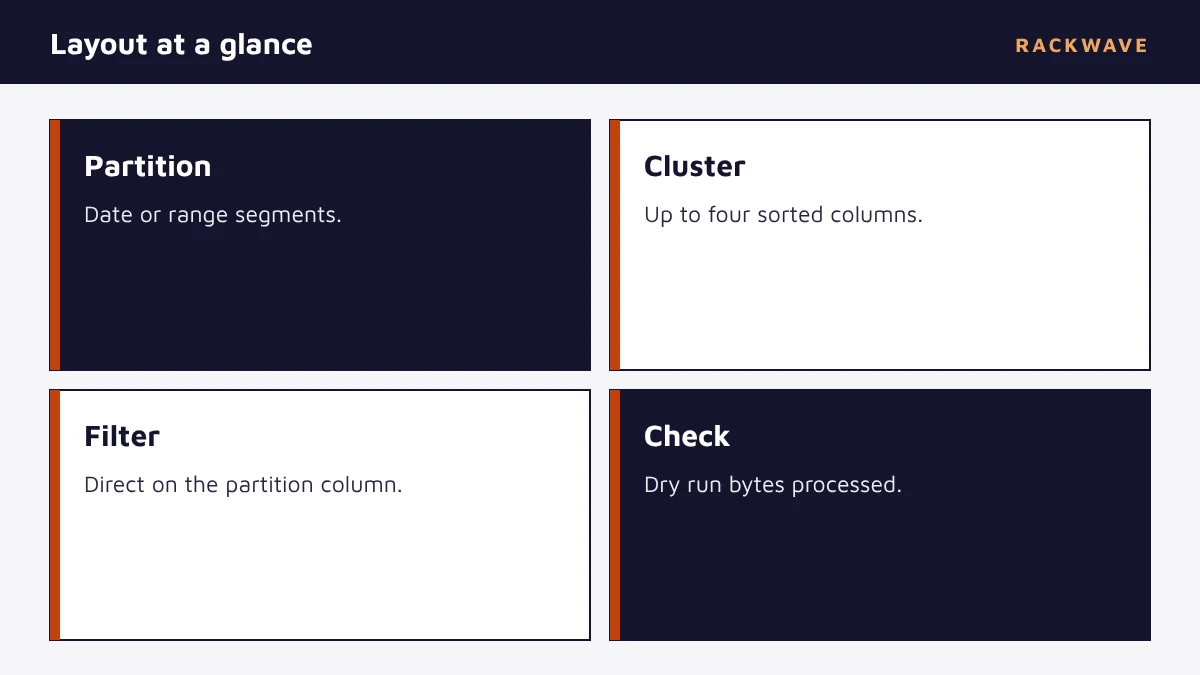
- Clustering sorts data in each partition by up to four columns, in the order you specify.
- Queries filtering or aggregating on the leading clustered columns read fewer blocks.
- It works on top of partitioning and on unpartitioned tables.
- The benefit grows with table size and with selective filters.
- BigQuery reclusters automatically in the background.
- Order matters: put the most commonly filtered column first.
Partitioning compared with clustering
| Aspect | Partitioning | Clustering |
|---|---|---|
| Divides data | Into separate segments | By sort order within storage blocks |
| Cost estimate | Known before the query runs | Approximate until the query runs |
| Best column types | Date, timestamp, integer range | High-cardinality columns often filtered or joined |
| Number of values | Limited by partition count caps | Many values work well |
| Typical use | Time-based filters | User, product or region filters |
| Combined use | Yes, partition first | Yes, cluster within partitions |
Use both for large tables filtered by date and another dimension.
Choosing columns
- Study real queries. List the filters and joins used most.
- Pick the partition column. Choose a date or timestamp that most queries filter on.
- Pick clustering columns. Choose up to four columns, most selective and frequent first.
- Set partition expiry if suitable. Drop old partitions automatically for retention.
- Require a partition filter. Prevent accidental full-table scans.
- Verify with dry runs. Check bytes processed before and after.
Checking that pruning works
A filter only prunes when it uses the partition column directly and in a form the optimiser can evaluate, such as a comparison with a constant date. Wrapping the column in a function or comparing it to the result of a subquery can prevent pruning. Use dry runs, the query plan and the bytes processed shown after execution to confirm that the expected partitions were read.
- Filter on the partition column directly.
- Avoid functions on the partition column.
- Compare bytes processed before and after.
- Review the query plan for scanned partitions.
Migrating existing tables
You cannot change the partitioning of an existing table in place. Create a new partitioned and clustered table from the old one using a query, test it against real workloads, then switch consumers and retire the old table. For ongoing pipelines, update loading jobs and transformations to write the new layout. If you use dbt incremental models, set partitioning in the model configuration.
- Create a new table with the target layout.
- Backfill and compare results.
- Switch consumers with views or aliases.
- Retire the old table after a safe period.
Interaction with other BigQuery features
Partitioning and clustering work with views, materialized views, scheduled queries and loading jobs. Materialized views on partitioned tables can refresh incrementally, and scheduled queries can write to a specific partition using a date parameter. When loading data, target the correct partition to avoid rewriting whole tables. See scheduled queries for patterns that write partitions safely.
Streaming inserts land in a buffer before being written to storage, so recent rows may not be fully clustered until BigQuery reorganises them. Plan for this when measuring performance on very recent data.
- Write scheduled results to the right partition.
- Use materialized views on partitioned tables.
- Expect recent streamed rows to be less optimised.
Monitoring layout quality over time
Layout choices can become outdated as query patterns change. Review job history to find queries that scan a large share of a table, check which filters are used and consider adjusting clustering columns. Re-evaluate at least yearly, and after any major product or reporting change, because a layout that was ideal for last year workload may not serve this year.
Common mistakes
- Partitioning on a column that queries rarely filter on.
- Too many tiny partitions from over-fine granularity.
- Putting low-selectivity columns first in clustering.
- Wrapping the partition column in functions in filters.
- No required partition filter on large tables.
- Assuming clustering gives exact cost savings in advance.
A worked example
A team had a ten-terabyte events table queried mostly by day and customer. They created a copy partitioned by event date and clustered by customer id and event type, then required a partition filter.
Typical dashboard queries dropped from scanning terabytes to scanning gigabytes, costs fell sharply and analysts saw faster results. The example is illustrative.
Best practices and support
- Design layout before loading large tables.
- Document partition and cluster choices.
- Use required partition filters.
- Review expensive queries for pruning problems.
Our data warehousing service and data analytics service tune BigQuery table design for cost and speed.
Related guides
Read materialized views, slots and reservations, data warehouses and data modeling for related topics.
Layout checklist
| Item | Done when |
|---|---|
| Partition column | Matches common filters |
| Granularity | Sensible partition sizes |
| Clustering | Up to four useful columns |
| Filter | Partition filter required |
| Verification | Bytes processed compared |
| Retention | Expiry set where suitable |
Partition expiry and storage costs
Partition expiry deletes old partitions automatically after a set period, which controls storage cost and supports retention policies. Partitions that are not modified for a period move to lower-cost long-term storage pricing. Combine expiry with archival exports where regulations require longer retention, and document the policy for each table.
- Set expiry for event and log tables.
- Archive data you must keep.
- Document retention per table.
- Review storage by dataset monthly.
Partitioning for time zones and late data
Partitions use a defined time zone, usually UTC. Decide how to treat events near midnight and late-arriving records, and keep the rule consistent. If reports use local days, add a derived local date column for filtering, and remember that filters should still prune on the actual partition column.
Key takeaways
- Partition by a commonly filtered date.
- Cluster by up to four columns.
- Require a partition filter.
- Verify with dry runs.
- Migrate with a new table.
Quick glossary
| Term | Meaning |
|---|---|
| Partition | Table segment skipped when not needed |
| Cluster | Sorted storage by chosen columns |
| Pruning | Skipping data not needed |
| Partition expiry | Automatic deletion of old partitions |
| Dry run | Cost estimate without running |
Read next: BigQuery vs Snowflake: Which Cloud Data Platform? · BigQuery Streaming Inserts: Real-Time Ingestion Guide · BigQuery Access Control: IAM, Policy Tags and Row Security
Frequently asked questions
What is partitioning in BigQuery?
Dividing a table into segments, usually by date, so queries read only the segments they need.
What is clustering in BigQuery?
Sorting data by chosen columns so filters on those columns scan fewer storage blocks.
How many clustering columns can I use?
Up to four, and the order of columns matters.
Can I partition an existing table?
Not in place. Create a new partitioned table from the old one and switch over.
Should I use both?
Yes for large tables filtered by date and another dimension.
What is a required partition filter?
A table option that rejects queries without a filter on the partition column.
Why is my query still scanning everything?
The filter may not use the partition column directly, or may wrap it in a function.
How do I check savings?
Compare bytes processed using dry runs and the job details before and after the change.