
Salesforce integration means connecting Salesforce with other systems, such as ERP, finance, e-commerce, support and data platforms, so data and processes flow without manual re-entry. This guide covers the main integration patterns, the APIs and tools available, security and limits, and a practical process for planning an integration that lasts.
Short answer: Choose an integration pattern based on timing and volume (real-time call, event, or scheduled batch), pick a matching Salesforce API or tool (REST, Bulk, Platform Events or MuleSoft), secure it with named credentials and OAuth, and design for limits and failures from the start.
Why integrate Salesforce?
A CRM is most useful when it reflects the whole customer relationship. Orders live in the ERP, invoices in finance, tickets in a support tool and behaviour in product or web analytics. Without integration, teams copy data by hand, reports disagree and customers repeat themselves. Integration keeps one version of the truth in each system and moves the right data at the right time.
Integration patterns
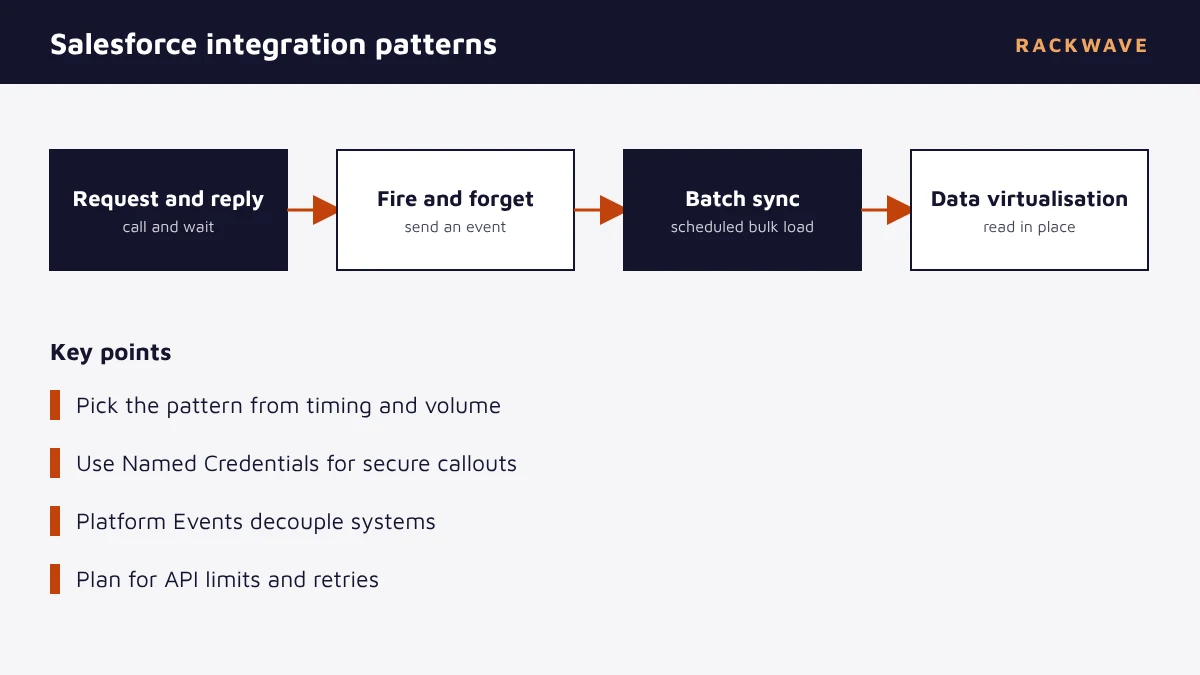
| Pattern | How it works | Typical use |
|---|---|---|
| Request and reply | Salesforce calls an external service and waits for the answer | Check live stock or credit during quoting |
| Fire and forget | Salesforce sends a message or event and continues | Notify the ERP that an order was approved |
| Batch synchronisation | A scheduled job moves large volumes in bulk | Nightly sync of products or invoices |
| Remote call-in | An external system calls Salesforce APIs to read or write data | Website creates leads in Salesforce |
| Data virtualisation | Salesforce shows external data without storing it | View ERP orders on the account page |
Salesforce documents these as integration patterns on the Salesforce developer site. Picking the pattern first prevents most design mistakes, because it settles how fast data must move and what happens when a system is down.
Salesforce APIs and tools
| Option | Best for | Notes |
|---|---|---|
| REST API | Real-time record operations from apps and websites | JSON over HTTPS; the default choice |
| SOAP API | Legacy enterprise systems that expect WSDL | Strongly typed |
| Bulk API | Loading or extracting large data volumes | Asynchronous, batch-oriented |
| Platform Events | Event-driven messaging between systems | Publish and subscribe; decouples systems |
| Change Data Capture | Streaming record changes to external systems | Keeps copies in sync |
| Apex callouts and external services | Calling external APIs from Salesforce | Apex or declarative |
| MuleSoft | Complex, multi-system integration | What is MuleSoft |
| Salesforce Connect | Virtualised access to external data | Uses external objects |
Security: authentication and credentials
Every integration needs a secure identity. For inbound calls, create a connected app and use OAuth 2.0, ideally with a dedicated integration user holding only the permissions it needs. For outbound callouts, store endpoints and credentials in named credentials rather than in code. Never share a personal user's login with an integration, because a password change or departure then breaks it.
Limits and reliability
- API limits: each org has daily API request allocations and concurrency limits. See API limits.
- Governor limits: callouts from Apex have timeouts and per-transaction caps.
- Idempotency: design calls so a retry does not create duplicates, using an external ID with upsert.
- Error handling: log failures, retry with backoff and alert someone when a message cannot be delivered.
- Monitoring: track volumes, failures and latency so you notice problems before users do.
The test of an integration is not the day it works. It is the day one side is down and nothing is lost.
How to plan a Salesforce integration
- Define the business outcome. State which process improves and who owns the data in each system.
- Map the data. List objects, fields, keys and transformations between systems, plus the direction of each flow.
- Choose the pattern and tool. Match timing and volume to the pattern, then to an API or platform.
- Design for failure. Decide on retries, duplicates, ordering and alerting before building.
- Build and test in a sandbox. Use a sandbox with realistic data volumes.
- Go live and monitor. Release in phases and watch limits and error rates in the first weeks.
Build or buy: native tools, iPaaS or custom code
Salesforce Flow can call external services for simple cases. An integration platform such as MuleSoft, or another iPaaS, is better when you have many systems, need transformation, or want central monitoring. Custom code in Apex is justified for unusual requirements but adds maintenance. As a rule, use the simplest tool that meets reliability needs, and avoid building point-to-point links that you will later have to untangle. Our article on what is system integration compares these approaches.
If you are starting from scratch, what is Salesforce gives the platform context. For delivery, see our system integration services and Salesforce consulting.
Common integration scenarios
Salesforce and ERP: orders, products, pricing and invoices flow between the two. The usual design makes the ERP the owner of financial data and Salesforce the owner of the customer relationship, with events or a scheduled sync keeping them aligned.
Salesforce and a marketing platform: contacts, consent and engagement flow both ways so campaigns use accurate data and sales sees marketing activity. See how this works in Marketing Cloud services.
Salesforce and a data warehouse: records are replicated for analytics, while unified insights can flow back for activation. Our Data Cloud guide covers the activation side.
Salesforce and a website or app: forms and product events create leads and cases in real time through the REST API or web-to-lead.
Data ownership and conflict rules
Two-way sync is where integrations go wrong. If two systems can edit the same field, you need a rule for which wins, and you need to stop updates bouncing back and forth in a loop. Decide a system of record for each field, record timestamps or version numbers, and ignore updates that originate from the integration user itself.
Testing an integration
- Test with realistic data volumes, not five sample records.
- Simulate the other system being down, slow and returning errors.
- Send the same message twice and confirm no duplicates appear.
- Check field-level mapping, formats and time zones.
- Confirm security: the integration user can only reach what it needs.
Monitoring and operating integrations
An integration is a running service, so give it the same care as any production system. Log each message with a correlation ID so you can trace it from source to target. Track throughput, error rates and latency, and alert on thresholds, for example when no messages arrive in an hour that normally sees hundreds. Keep a dead-letter queue or error table for messages that fail repeatedly, and agree who reviews it and how often.
Plan for change. APIs get new versions, fields are added and credentials expire. Keep an inventory of integration users, certificates and secrets with their renewal dates, and test integrations whenever Salesforce releases a major update by running them in a sandbox that has the new release.
Checklist before go-live
- Integration user has least-privilege permissions.
- Credentials are stored in named credentials, not code.
- Retry and duplicate handling are tested.
- Volume testing matches expected peak load.
- API usage is within daily limits with headroom.
- Monitoring, alerting and an owner are in place.
- A rollback or manual fallback is documented.
Key takeaways
- Choose the pattern first, then the API or tool.
- Use named credentials and a dedicated integration user.
- Design for retries, duplicates and failures.
- Respect API and governor limits.
- Monitor integrations like any production service.
Quick glossary
| Term | Meaning |
|---|---|
| REST API | HTTP-based API for real-time record operations |
| Bulk API | API for loading and extracting large volumes |
| Platform event | A message published by Salesforce or an external system |
| Upsert | Insert or update based on a matching key |
Read next: Salesforce Agentforce: What It Is and How It Works · Salesforce Apex: What It Is, Triggers, Limits and Best Practices · Salesforce Data Cloud (Data 360): What It Is and How It Works
Frequently asked questions
What is Salesforce integration?
Salesforce integration is the connection of Salesforce with other systems so data and processes flow between them automatically, using APIs, events, middleware or scheduled jobs.
Which Salesforce API should I use?
Use the REST API for real-time record operations, the Bulk API for large data volumes, Platform Events or Change Data Capture for event-driven integration, and SOAP only when a system requires it.
What is the best way to integrate Salesforce with ERP?
The best method depends on volume and timing. Many organisations use an integration platform such as MuleSoft for order, product and invoice flows, with events for real-time updates and batch jobs for large syncs.
How do I secure a Salesforce integration?
Use OAuth 2.0 with a connected app, a dedicated integration user with least-privilege permissions, and named credentials for outbound calls. Keep secrets out of code.
What are Salesforce API limits?
Each org has daily API request allowances and concurrent request limits that depend on edition and licences. Design integrations to batch requests and monitor usage.
What is the difference between REST and Bulk API?
REST handles individual or small sets of records in real time. Bulk API processes large volumes asynchronously in batches, which is more efficient for data loads and extracts.
Do I need MuleSoft to integrate Salesforce?
No. Simple integrations can use native APIs, Flow or Apex. MuleSoft or another integration platform becomes valuable when you have many systems, complex transformations or a need for central governance.
How long does a Salesforce integration take?
A simple one-way connection can take days to a few weeks. Multi-system integrations with transformation, testing and monitoring take longer, depending on data quality and approvals.